ProsperaBuilder Review: Honest Verdict, OTOs & Is It Worth It?

Is ProsperaBuilder worth considering?
Here’s the deal. Every few weeks a new “AI business in a box” lands on JVZoo promising that money will practically fall out of your laptop. ProsperaBuilder — from Jono Armstrong, Richard Fairbairn, and Simon Phillips — is the latest, and it leans harder into the “own an AI company, collect the money” fantasy than most.
So I did what I always do: I read every word of the sales page, went through the JV materials, watched what the vendors are actually shipping, and looked into who’s behind it. I’ll be straight with you about what this is, what it isn’t, and whether it’s worth your $37. Short version up top for the skimmers: the tool underneath is probably real and usable, but the sales page oversells it to a degree I can’t ignore.
Quick Summary
| Product | ProsperaBuilder |
| Creators | Jono Armstrong, Richard Fairbairn & Simon Phillips |
| Type | Cloud-based AI “agent” dashboard (pre-built AI assistants organized into 5 “departments”) |
| Launch | August 6, 2025, 11:00 am Eastern (closes Aug 10) · on JVZoo |
| Front-end price | $37 one-time (rising during launch) |
| Upsells | 5 OTOs, $67–$497 (one is annual recurring); bundle $317/yr |
| Guarantee | 30-day money-back |
| Niche | Make-money-online / AI tools / freelancing & agency |
| My rating | 3 out of 5 — a usable little tool wrapped in oversized promises |
What ProsperaBuilder Actually Is
Strip away the “own an AI company” language and here’s what you’re buying: a web app that gives you a dashboard full of pre-configured AI assistants. The vendors call them “25 AI employees” with names like Maya, Ava, and Sofia, sorted into five “departments” — Marketing, Affiliate, Publishing, Consulting, and Content. Each “employee” is really a specialized prompt/agent tuned for one job: writing a blog post, drafting a marketing audit, spinning up an email sequence, building a consulting report, and so on.
You log in, pick a department, tell an “employee” what you need, and it generates the deliverable. There’s also an “AI Employee Builder” to spin up your own custom assistant in a few clicks. That’s the product. It runs in the cloud, so phone, tablet, or laptop all work.
Honestly? That’s a reasonable little productivity wrapper. It’s the same kind of thing you could rig up yourself in ChatGPT or Claude with saved prompts — but ProsperaBuilder does the organizing for you and, per the sales page, covers the AI usage cost so you’re not paying a separate monthly AI bill. For a beginner who doesn’t want to build their own prompt library, there’s genuine convenience there.
Key Features — In Plain English
- 5 pre-built “AI businesses” (departments): Instead of a blank chatbox, you get ready-made workflows for common money niches. The benefit is you skip the “what do I even prompt?” paralysis that stops most beginners cold.
- 25 role-specific AI assistants: Each one is pre-prompted for a task, so the output is more focused than a generic “write me something.” Think of them as prompt templates with a friendly face on them.
- AI Employee Builder (3 clicks): Roll your own assistant for a role the 25 don’t cover. Useful if you work a specific niche.
- Central dashboard: Everything in one place instead of scattered across a dozen tabs. Small thing, but it saves friction.
- Ready-to-sell deliverables: The output is meant to be usable for clients or your own projects — audits, reports, campaigns, content.
- Cloud access + claimed “no monthly AI fees”: Run it anywhere; the vendor eats the AI cost. (Read the cons before you get excited about “no fees” — there’s a catch.)
How It Works
- Log in and pick a department (Marketing, Affiliate, Publishing, Consulting, or Content).
- Assign an “AI employee” and tell it what you need.
- Collect the generated deliverable — content, a report, an email sequence, etc.
- Use it for your own business, or hand it to a paying client.
That last step — the “hand it to a paying client and collect money” part — is where the sales page and reality part ways. More on that below.
The Pros
- Cheap entry point. $37 one-time to test-drive it is low risk, especially with the refund window.
- Genuinely beginner-friendly. The pre-built prompts remove the blank-page problem. That’s a real value if you freeze up in front of a chatbot.
- Built by people who ship working software. Fairbairn and Phillips have a long run of functional JVZoo apps (Bonus Page Builder AI, MicroSAAS AI, and others). This is unlikely to be vaporware — the dashboard probably works as advertised.
- 30-day money-back guarantee. JVZoo-backed, so if it’s not for you, you can get out.
- One place for a lot of use-cases. If you already write content, do affiliate promos, or run a small agency, having organized AI workflows in one dashboard is a legit time-saver.
The Cons — and I’ve Got a Few
- The “proof” borrows other people’s success. The sales page opens with real AI millionaires — Pieter Levels (Photo AI), the Base44 founder who sold to Wix, Tony Dinh, Nick Dobos, Danny Postma. Every one of them built custom software from scratch. None of them used ProsperaBuilder. Dropping their numbers next to a $37 tool implies a connection that isn’t there. That’s the single biggest red flag for me.
- The income framing is fantasy-grade. “The collecting-the-money phase,” “the easiest money you’ll ever make with AI,” “first deliverable in 10 minutes.” Generating a document in 10 minutes is not the same as getting paid. Finding clients, pitching, and closing is the actual hard part — and this tool doesn’t do that for you. The page’s own fine print even admits results are “not typical.”
- The on-page testimonials aren’t verifiable — and some of the “proof” is literally placeholder text. Several proof blocks read as captions like “[Insert Image: Stripe dashboard…].” I don’t repeat unverifiable income testimonials as if they’re real, and neither should you when you’re deciding.
- “No monthly AI fees” has an asterisk. The front end sells “unlimited” and “no fees” — but Upsell #1 is literally “Unlimited AI” for $97/year. If the FE were truly unlimited, that upsell wouldn’t exist. Translation: the front end almost certainly has usage caps, and the “unlimited” you’re picturing is a paid, recurring upgrade.
- Output is only as good as the model underneath. These “employees” are prompt wrappers around a general AI. You’re getting generic-LLM quality — fine for drafts, but you’ll still need to edit, fact-check, and add real judgment before anything goes to a paying client. “Zero writing required, ever” is not how this works in the real world.
- Recycled sales copy. The page’s disclaimer still has leftover template junk — a “[Company Name]” placeholder, a mismatched support email, and language about “YouTube rankings” that has nothing to do with this product. Sloppy, and a sign this was pushed out fast on a template.
- Jono Armstrong’s reputation is a mixed bag. I’ll be straight: a chunk of his audience is loyal, but there’s also a notable pile of public complaints tied to his other ventures (his coaching program and a trading offer), including refund disputes. Those complaints aren’t about ProsperaBuilder specifically, and Fairbairn/Phillips have a steadier track record — but if support and refunds matter to you, go in with eyes open.
Pricing & the Upsell Funnel
The $37 front end is just the door. Here’s the funnel so you know what’s coming after you buy (prices from the vendor’s materials — confirm at checkout, since a couple of their docs list slightly different numbers):
- Front end — ProsperaBuilder: $37 one-time. The 5 businesses, 25 assistants, dashboard, employee builder, 4 bonuses.
- OTO 1 — Unlimited AI: $97/year (recurring). Removes the caps on the front end — unlimited assistants, teams, projects, memory, and knowledge bases.
- OTO 2 — AI Business Pack: $67. 50 additional ready-made “businesses.”
- OTO 3 — AI Agency Kit: $97. Commercial license, contracts, proposals, sales scripts, client portal — the stuff for selling to clients.
- OTO 4 — Voice Studio: $97. Studio-quality AI voiceovers for turning your text output into audio/video.
- OTO 5 — White Label: $497. Rebrand and sell the platform as your own software.
- Bundle — $317/year: Everything except White Label in one recurring package.
A note on that coupon floating around (“FutureProof” for $50 off): the JV docs mention it, but $50 off a $37 product doesn’t add up, so it likely applies to the bundle or a webinar-only deal. Verify what it discounts before you count on it.
Watch the recurring line items. The front end is a one-time $37, but the “Unlimited” upgrade and the bundle are annual — so the “one payment forever” vibe on the sales page doesn’t hold once you climb the funnel.
Who It’s For — and Who Should Skip It
Buy it if: you’re a beginner or a busy content/affiliate/agency person who wants organized AI prompts in one dashboard, you understand you’ll still do the selling and the editing, and $37 to save yourself setup time sounds fair. On those terms, it’s decent value.
Skip it if: you’re expecting money to show up because you own “an AI company,” you already live in ChatGPT/Claude and have your own prompt system (you’re basically paying for organization you can build free), or the “close a client by Friday, keep every dollar forever” pitch is what’s selling you. That pitch is the part I don’t trust.
My Custom Bonuses (If You Buy Through My Link)
This tool spits out drafts. What it doesn’t do is help you land the client or make sure the output is good enough to send. So my bonuses fill exactly those gaps — no inflated “$2,000 value” nonsense, just stuff I’d actually use:
- Client Outreach Pack: the cold-DM and email scripts I use to book local-business calls, so you have somewhere to send those AI-generated audits.
- AI Deliverable QC Checklist: a one-page fact-check-and-polish checklist so nothing embarrassing (or hallucinated) ever reaches a paying client.
- Niche Picker Cheat Sheet: how to choose which of the five “departments” to actually run first based on what’s easiest to get paid for in your area.
- My Honest Upsell Map: a plain-English “buy this / skip this” guide to the funnel above, so you don’t overspend on OTOs you won’t use.
To claim them, buy through my link below and forward your JVZoo receipt.
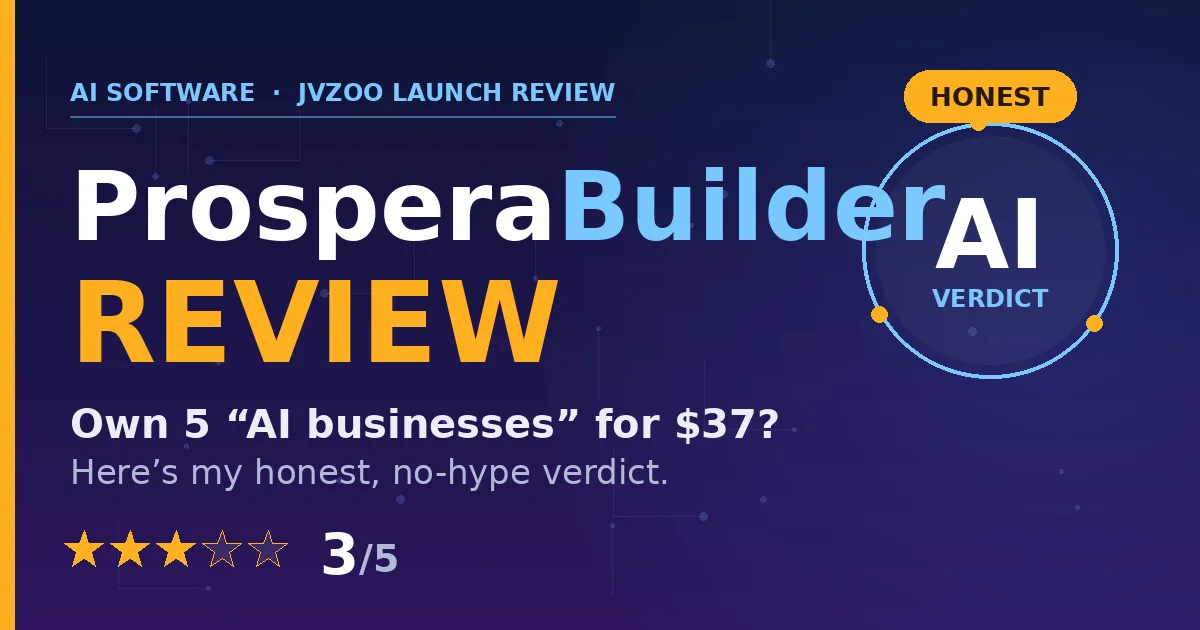
Final Verdict: 3 / 5
Here’s my honest bottom line. ProsperaBuilder isn’t a scam — it’s a functional, cheap AI-assistant dashboard from a team that ships real software, and for the right beginner it’s a handy shortcut past the blank-prompt problem. But the marketing is doing a lot of heavy lifting it can’t back up: borrowed success stories, a passive-income fantasy, unverifiable testimonials, and an “unlimited/no fees” front end that turns out to have paid, recurring upgrades.
So I land at 3 out of 5: worth $37 if you go in clear-eyed about what it is (an organized prompt tool that still needs you to do the selling), and a hard pass if you’re buying the dream on the sales page. Grab it, use the 30-day guarantee, and judge the actual output for yourself.
(Affiliate link. If it’s a fit for you, buying through it supports these honest reviews — thanks either way.)